

Imagine this scenario: A residential HVAC contractor has verified their Google Business Profile as a Service Area Business (SAB). The address is hidden, the service area is accurate, and the profile passes all setup checks. Yet, the phone isn’t ringing as much as expected. The business owner wonders—should more cities be added, more categories listed, or keywords stuffed everywhere? The truth is, service area business Google Business Profile optimization is not about stacking keywords or gaming the system. It’s about making it simple for Google and customers to understand who you are, what you do, and where you really serve. This article delivers clear, field-tested optimization methods for contractors, cleaners, HVAC pros, mobile mechanics, and similar businesses—based on what actually works, not what sounds like a shortcut.
Why Service Area Business Google Business Profile Optimization Matters

Service Area Business (SAB) owners often work hard to get their profiles set up and verified, only to discover real visibility and lead generation depend on more than correct addresses or ticking off Google’s basic requirements. Once the foundational setup is handled (see: How to Set Up a Service Area Business on Google Business Profile), optimization becomes crucial. Instead of chasing every city or keyword, effective service area business Google Business Profile optimization transforms your profile into a clear, trustworthy resource that matches your genuine operations. For contractors, cleaners, HVAC techs, or mobile mechanics, this means prioritizing accuracy and customer utility over the old “more is more” SEO mindset.
“It’s not about tricking Google; it’s about helping Google and customers understand what the business truly does and serves.” — SAB Optimization Specialist

What You’ll Learn About Service Area Business Google Business Profile Optimization
How optimization differs from setup and ranking
Best practices for categories, services, and descriptions
What photos and reviews genuinely enhance your profile
Key industry-specific optimization strategies
Common myths—and what NOT to do
How to keep your profile accurate and helpful
Key Facts & Verified Data for SAB Google Business Profile Optimization
📊 Data |
📚 Source |
📅 Date |
❓ Why It Matters |
|---|---|---|---|
Google allows up to 20 service areas per SAB profile |
Google Business Profile Help |
May 2024 |
Defining clear, accurate coverage areas helps distinguish real operations from manipulation. |
Primary category shapes how and where your business appears in Maps and Search |
Google Business Profile Help |
2024 |
Accurate categories increase relevance and trust. |
Google states business information should match the real-world business |
Google Business Profile Representation Guidelines |
2024 |
Prevents confusion and unauthorized changes. |
Genuine customer reviews help establish trust and can impact local prominence |
Google Business Profile Help |
2024 |
Transparency in reviews supports customer decision-making. |
Defining SAB Google Business Profile Optimization: Setup vs. Optimization vs. Ranking
Service Area Business Setup: The Foundation
Proper setup is the first step in your service area business Google Business Profile optimization journey. This means verifying your business, selecting the SAB type (not storefront or hybrid business by mistake), accurately listing your services, hiding your physical address if you don't serve customers onsite, and defining genuine service areas. If you’re still working on these basics, start with our detailed SAB setup guide.
Setup alone won’t boost calls or Google Maps presence if the profile is missing critical details or misrepresents your operation. The initial, correct configuration prevents problems down the road—like listing inaccurate addresses or creating multiple campaigns and accounts for the same business, which violates Google policies.
Optimization: Enhancing Clarity, Relevance, and Trust
Optimization is the phase where your business profile moves from “simply accurate” to “customer- and Google-friendly. ” This step is all about clarity: provide detailed, truthful business information, set the right service areas, describe your services in language your customers actually use, and build visual trust with quality photos and reviews. Effective business profile optimization goes beyond keywords—focuses on relevance, honesty, and utility. This enables Google to confidently show your SAB in relevant search and maps queries and makes it easier for customers to find and evaluate your services.

Remember: Optimization is ongoing. It’s about continuously keeping information up to date, aligning with Google’s best practices, and demonstrating your business’s legitimacy and dedication to your market.
Ranking: The Result—Not the Goal of Profile Optimization
Ranking is the outcome—not the main purpose—of service area business Google Business Profile optimization. An optimized profile leads to better trust signals, relevance, and visibility, which may improve local rankings, but chasing “ranking tricks” is a losing strategy. Google prioritizes clarity, consistency, and trust.
For a deeper explanation of local ranking (including Google Maps factors like relevance, distance, and prominence), see How to Rank a Service Area Business in Google Maps Without a Physical Address. Focus your efforts on making your profile and website easy to understand and impossible to dispute, not on manipulating rankings through shortcuts.
Choosing the Right Categories for Service Area Business Google Business Profile Optimization
Selecting the Primary and Secondary Category
One of the most undervalued—but absolutely vital—steps in SAB Google Business Profile optimization is category selection. Start by researching which primary category best matches the core of your service business. For example, a mobile mechanic should choose “Mobile Mechanic” if available, not “Auto Repair Shop,” which typically indicates a fixed location.
Additional (secondary) categories should be used only if they reflect substantial, legitimate business activities. Don’t choose irrelevant ones simply to chase more keywords (for example, a general contractor should not add “Roofer” unless roofing is a primary, advertised service). Remember: categories are not a keyword buffet, but a signal to Google and customers of what your business genuinely does.
Common Mistakes With Service Area Business Categories
It’s tempting to “play the field” with categories—listing every possible one that might attract searches. But this dilutes your profile’s clarity and can cause confusion both for Google and customers. Common errors to avoid include: adding irrelevant categories to increase reach, making up categories for specific services that don’t align with recognized business models, or switching categories frequently (“category-jumping”) in hopes of gaming local ranking.
Instead, focus on representing your actual offerings. If a term isn’t part of your core service list or a recognized primary service area, leave it out.
Category Strategies for Contractors, Cleaners, Mechanics, and HVAC Businesses
Every industry has unique challenges when selecting categories. Contractors should highlight their most frequent or valued project types, not every trade they’ve ever handled. Cleaning companies should distinguish between residential, commercial, and specialty services, and only add categories applicable to current, prominently advertised services. Mobile mechanics must emphasize their mobile aspect, separating them from traditional shops. HVAC businesses should select installation, repair, or maintenance as appropriate. Relevance and truthfulness are always superior to blanket coverage.
Optimizing Services in Your SAB Google Business Profile
Clarifying the Services You Offer
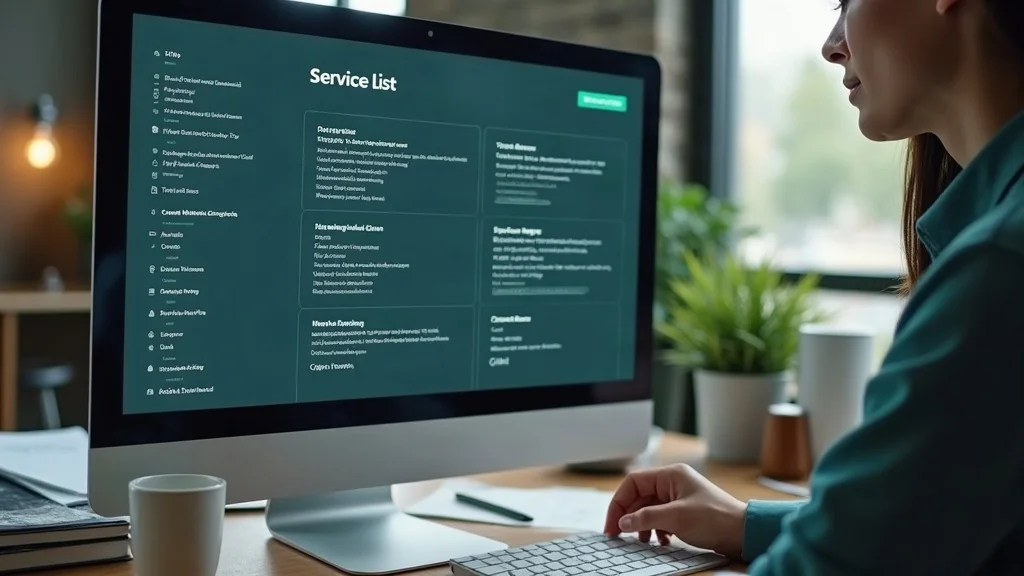
Your service list is your opportunity to clearly state what you actually do—not everything you could ever possibly offer. Use customer language, not jargon, and avoid stuffing unrelated services simply for search volume. If a service is a core business driver (such as “emergency plumbing” or “AC installation”), list it and add a short, helpful description that truly describes your process or value. Avoid listing business products you don’t provide, and never invent services for the sake of covering all possible searches.
Service Descriptions: Speaking the Customer’s Language
Write service descriptions as if explaining your work to a real customer. Be specific—explain what’s included, what makes your approach unique, and where you operate. Use terminology that resonates locally (“furnace repair,” “deep cleaning,” “roadside mobile mechanic service”) and stay away from robotic, keyword-stuffed phrases.
Think from a customer’s perspective: What will help them understand you’re truly qualified and local? If your customers mention particular pain points or satisfaction themes in reviews, reflect those in your service descriptions.
Avoiding Service-Related Keyword Stuffing
Keyword stuffing isn’t just pointless—it actively harms your business profile’s trustworthiness. Google’s guidelines explicitly caution against overusing keywords in services, descriptions, or business names. Only use the language and terms that accurately describe your services. Avoid repetitive mentions of city names, synonyms, and unnecessary adjectives. This makes your site content and profile more valuable to both search engines and real people.
Writing an Effective Business Description for a Service Area Business
What Makes a Useful Business Profile Description?
A truly effective business profile description tells your story clearly and usefully in 750 characters or less. Start with who you are (“family-owned HVAC contractor,” “veteran-led cleaning company”) then quickly note what you do (“24/7 repair and installation,” “weekly, bi-weekly cleaning,” etc. ), who you help, and what sets you apart (licensed, years in business, satisfaction guarantee, etc. ). Don’t exaggerate or make unsupported claims, and don’t re-list keywords or cities ad nauseam.
Connecting Service, Audience, and Trust
Your profile description is not an ad: it’s a trust-building summary. Relate directly to the customer. For example, mention “serving homeowners across [your actual service areas] for over 10 years”—if true. Highlight local relevance, honesty, and experience. This reinforces your profile as a real, established operation and not just a marketing profile filled with empty phrases.
Accurate Service Areas: Quality Over Quantity
Defining Your Genuine Service Areas
Add service areas that reflect towns, cities, or regions where you routinely deliver work—no more, no less. For most businesses, using all 20 Google service-area slots is not only unnecessary, but often misleading. Periodically review your service area list to ensure it matches where you truly operate.
Why More Cities Doesn’t Mean More Visibility
It’s a persistent myth that adding extra cities to your profile increases your Maps or local search reach. Google’s algorithms do not simply count service areas. Instead, proximity, relevance, and prominence determine where your business appears. Listings that overstate their real reach often reduce trustworthiness and can hurt credibility if customer expectations aren’t met. Read our ranking strategy deep-dive for a complete local visibility discussion.
Best Practices and Google’s Current Guidance
Follow Google’s current rule: up to 20 service areas, but only those you actually serve. Be specific (city, region, or postal code), and avoid duplicating coverage. Make changes if your coverage changes. This reduces confusion, keeps you compliant, and enhances real-world customer trust.
Business Hours: Communicating Availability and Managing Customer Expectations
Regular, Special, and Emergency Hours for Service Businesses
Service-area businesses need to think carefully about hours. Unlike storefronts, you may serve by appointment, offer emergency service, or have special seasonal availability. Set your regular hours to accurately reflect when you answer calls or dispatch crews, update special hours for holidays, and note emergency/after-hours if truly offered. Clear business hours help manage your site content and set realistic customer expectations, strengthening your reputation and reducing negative reviews.

Aligning Business Hours With Service Area Operations
Align your hours to your actual operational practices. If you accept emergency calls, specify “open for emergency calls after hours”—but don’t list yourself as 24/7 unless you answer and serve at all hours. Avoid making your business appear available when it really isn’t; misleading customers risks negative reviews and account suspension.
Photos for Service Area Business Google Business Profile Optimization
Types of Photos That Benefit Service Businesses
Team images and branded vehicles
Before-and-after project photos
Service equipment and tools in use
Real-world working environments
Professional company branding
How Photos Build Customer Trust and Profile Strength
In the absence of a storefront, your Google Business Profile photos are your business’s visual handshake. They give customers confidence, demonstrate your local presence, and differentiate you from anonymous listings. Upload photos of team members, branded vehicles, real job sites, and before-and-after project shots. These images are evidence of your experience, quality, and trustworthiness—and help people find and remember your SAB among many results.

Leveraging Customer Reviews for Service Area Business Trust and Visibility
Asking for and Responding to Real Reviews
Nothing builds trust like honest, detailed feedback from real customers. Politely ask satisfied clients to review your Google Business Profile after successful jobs. Personalize your request and make it easy: provide the direct link, explain how it helps others find you, and ask for specifics about their experience. Respond to reviews within a few days, thanking reviewers and addressing concerns if raised. This turns your profile into a living reference platform for prospective customers.

What Not to Do With Reviews
Never purchase, incentivize, or fake reviews. Google’s systems detect patterns—profiles with only short five-star comments or sudden review spikes may see reviews removed or the profile suspended. Avoid scripting reviews or asking friends/family with no real experience to weigh in. Focus instead on a steady stream of authentic, customer-driven testimonials, which serve both Google and customer trust.
Responding Effectively to Reviews in Service Area Business Google Business Profile Optimization
Professionalism and Privacy in Review Replies
Always reply as a trusted professional. Thank happy customers, offer to resolve issues for dissatisfied ones, but never share private information publicly. Avoid using review responses to stuff in keywords or cities—that’s not only ineffective, it undermines the point. Address each situation genuinely and make every reviewer feel valued.
Using Responses to Strengthen Customer Experience
When you acknowledge reviews in detail, you show real engagement. Mention specific services (“Thanks for trusting us for your drain repair in [City]!”) and invite customers to contact you directly for continued support. These tailored replies can transform one-time jobs into long-lasting customer relationships, building long-term local prominence and greater trust in your marketing profile.
Website Support for Your SAB Google Business Profile

Aligning Service Pages and Business Information
Your website should reinforce your Google Business Profile: service offerings, service areas, business address (if relevant), and contact information should all match. Add service pages for main offerings (e. g. , “emergency HVAC repair,” “move-out cleaning”), showcase trust signals (reviews, testimonials, certifications), and offer clear calls to action throughout. Never list services or areas you don’t actually provide—this diminishes trust and can backfire.
Service Area Content vs. Mass-Produced City Pages
It’s tempting to create a landing page for every city you serve, but unless each page is genuinely helpful and unique, this is thin content. Instead, describe your main service areas naturally across your site content, add detailed descriptions only for significant cities where demand or competition justifies it, and focus on information customers really need to decide and contact you.
Ensuring Consistency Across Your Service Area Business Online
Consistency in Name, Address, Phone, and Business Details
Wherever your business appears online—your website, directories, social media, or merchant platform—make sure your name, business address (if used), phone, and service information are consistent. Inconsistencies not only confuse Google, but can also drive away potential customers who can’t verify your legitimacy.
How Consistency Supports Trust and Reduces Customer Confusion
A consistent online identity allows people to find, compare, and choose your service business with confidence. It reflects that you’re an established, conscientious provider, not just another anonymous listing. Focus on alignment across all accounts in one place—website, GBP, third-party profiles—rather than trying to create multiple profiles or campaigns for manipulative reach.
Industry Insights: SAB Google Business Profile Optimization for Contractors, Cleaners, Mobile Mechanics, and HVAC
Unique Optimization Needs for Contractors
Contractors should focus on clearly presenting primary services (remodeling, roofing, general construction), adding project photos, keeping categories relevant, collecting before/after reviews, and detailing service coverage. Each project type you highlight becomes another legitimacy signal for Google and customers. Supporting your business profile with robust project/service pages on your website adds credibility and utility.
Detailed GBP Optimization for Cleaning Services
Cleaning companies should specify residential, commercial, or specialized cleaning (carpet, move in/out, deep clean), use customer-centered service descriptions, and routinely feature team/work photos. Genuine reviews and clearly marked service areas build both visibility and trust, addressing both Google’s requirements and real customer concerns.
Strategic Profile Elements for Mobile Mechanics
Mobile mechanics need to emphasize mobile repair, diagnostic, and emergency assistance, highlight response times and service flexibility, and showcase vehicle, location, and customer photos. Aim for clarity over keyword repetition and keep the business hours in sync with real operational capacity—callouts after hours or limited times should be made explicit.
Best Practices for HVAC Service Area Businesses
HVAC professionals should specify repair, maintenance, and installation services, communicate emergency/seasonal hours, add photos of equipment, team, and jobs, and regularly update customer reviews. Present service coverage as accurate zones to eliminate confusion and demonstrate commitment to customer transparency.
What Not to Do: Common SAB Google Business Profile Optimization Myths and Mistakes
Keyword stuffing in names, descriptions, or services
Fake or excessive service areas and locations
Adding irrelevant categories
Creating multiple profiles for one business
Using fake reviews or review schemes
Mass-producing thin city pages
Manipulating profile fields for ranking hacks
These practices damage trust, risk account suspension, and rarely deliver real business growth. If your optimization tactic wouldn’t pass the “would a customer find this helpful?” test, don’t implement it.
SAB Google Business Profile Optimization Checklist
Verify accurate business information—including address and service areas
Set the correct primary and relevant secondary categories
List and describe only real, offered services
Write a clear business description
Use real, professional photos
Maintain up-to-date hours and coverage
Encourage genuine customer reviews, and respond with care
Align website and profile with consistent information
Review and update profile regularly
Continuous Improvement: What to Do After Optimizing Your Google Business Profile
Monitor and update profile details with any business changes
Solicit and respond to reviews regularly
Add meaningful new photos as work occurs
Update services and content on your website as needed
Periodically audit for inaccurate or outdated information
Stay aware of GBP guideline changes
People Also Ask: SAB Google Business Profile Optimization Questions Answered
How do I optimize a Service Area Business on Google?
Optimize your SAB Google Business Profile by selecting the right primary category, accurately describing real services, listing genuine service areas you serve, maintaining up-to-date hours, uploading authentic photos, and requesting real customer reviews. Avoid manipulating fields or overusing keywords. Focus instead on clarity, trust, and customer benefit.
What is the best category for a Service Area Business?
The best primary category is the one that truly matches your main business activity. For example, “Plumber” for plumbing businesses, “Mobile Mechanic” for roadside repair, or “House Cleaning Service” for cleaning businesses. Don’t add extra categories unless they apply to significant, publically marketed services.
How should I choose GBP services?
List the core services your business provides—use customer language, not jargon or buzzwords. For each service, write a description that helps customers decide if it suits their needs. Avoid adding every possible related service if you don’t actually offer it regularly.
How many service areas should I add, and do they help Google Maps rankings?
Only add service areas you truly serve. Google allows up to 20, but that doesn’t guarantee you’ll rank in every city listed. Presence in local results depends more on proximity, relevance, and business prominence than sheer number of service areas.
Should I hide my home address on my Service Area Business Profile?
Yes, if customers do not visit your business location, you should hide your address to remain compliant with Google’s SAB policies. This ensures your business profile accurately represents your service business model.
Do Google reviews help SABs and how often should I update my GBP?
Yes, Google reviews help build trust and can influence local prominence. Update your profile whenever business details or services change, and routinely respond to customer reviews to show active engagement.
Do photos help Service Area Businesses?
Absolutely. Real photos help validate your SAB to customers and Google, showcase your work quality, and highlight your professionalism and team. They don’t automatically guarantee a higher ranking—but they support overall profile strength and trust.
Does my website support my Service Area Business Google Business Profile optimization?
Yes, your website should align with your GBP with accurate service listings, matching contact info, and helpful content. It’s not about stuffing keywords or making dozens of city pages, but about supporting your Google profile information and building authority and clarity.
Should I create a landing page for every city I serve?
No—only do this if each page offers genuine value, unique information, and helps real customers make decisions. Avoid generic, repetitive thin pages. Instead, clearly describe your service areas naturally within your core website and provide distinct detail where it benefits users.
Can contractors, cleaners, and mobile mechanics optimize Google Business Profiles?
Yes. Each should focus on honest category selection, clear service area coverage, real photos, reviews, and synchronization between GBP and their website. There’s no need to create multiple profiles or manipulate categories just to increase visibility.
What are the biggest SAB optimization mistakes?
Big mistakes include keyword stuffing, fake reviews, bogus service areas, irrelevant categories, duplicate profiles, and thin city pages. These undermine trust and are against Google guidelines—focus on clarity, accuracy, and usefulness for both Google and customers instead.
Frequently Asked Questions: SAB Google Business Profile Optimization
How do I optimize a Service Area Business Google Business Profile?
Keep your information accurate, choose relevant categories, list real services, update business hours and service areas, use real photos, encourage authentic customer reviews, and stay consistent across your site and local profiles.What is the most important GBP category for an SAB?
The primary category that best represents your main business activity. Select what you actually do, not what you wish customers would search for.Should I add every service I offer?
Only add services you actively provide and want to be known for. Keep descriptions clear and avoid listing services you rarely do.Should I use all 20 service areas?
Not unless you genuinely serve 20 unique areas. Prioritize accuracy over quantity.Do service areas improve rankings?
Listing service areas informs Google, but doesn’t automatically increase rankings. Relevance, distance, and prominence matter most.Do Google reviews help SABs?
Yes—they increase customer trust and can enhance local profile prominence.How often should I update my GBP?
Update whenever your business changes: new services, updated hours, new reviews or photos, or updated service areas.Should an SAB add city keywords to its business name?
Never add city names unless they are part of your legal business name. It’s against Google policy.Do photos help Service Area Businesses?
Yes—real, current photos strengthen both customer perception and Google’s confidence.Does my website help support my GBP?
Absolutely. Your website should match and support your Google Business Profile with accurate services, service areas, and contact info.Should I create a landing page for every city I serve?
Only if each page is unique and helps customers—from a trust and conversion standpoint.Can contractors optimize a Service Area Business profile?
Yes—focus on accurate categories, coverage, services, reviews, and photos.Can cleaning companies optimize GBP?
Absolutely. Use real team/project photos, clear categories, service details, and real reviews.Can mobile mechanics use GBP?
Yes. The mobile nature makes accurate service areas, hours, and customer reviews especially important.What is the biggest SAB optimization mistake?
Trying to “fake it”—with extra categories, fake service areas, keyword stuffing, or bogus reviews.




Write A Comment